Wedding Planner
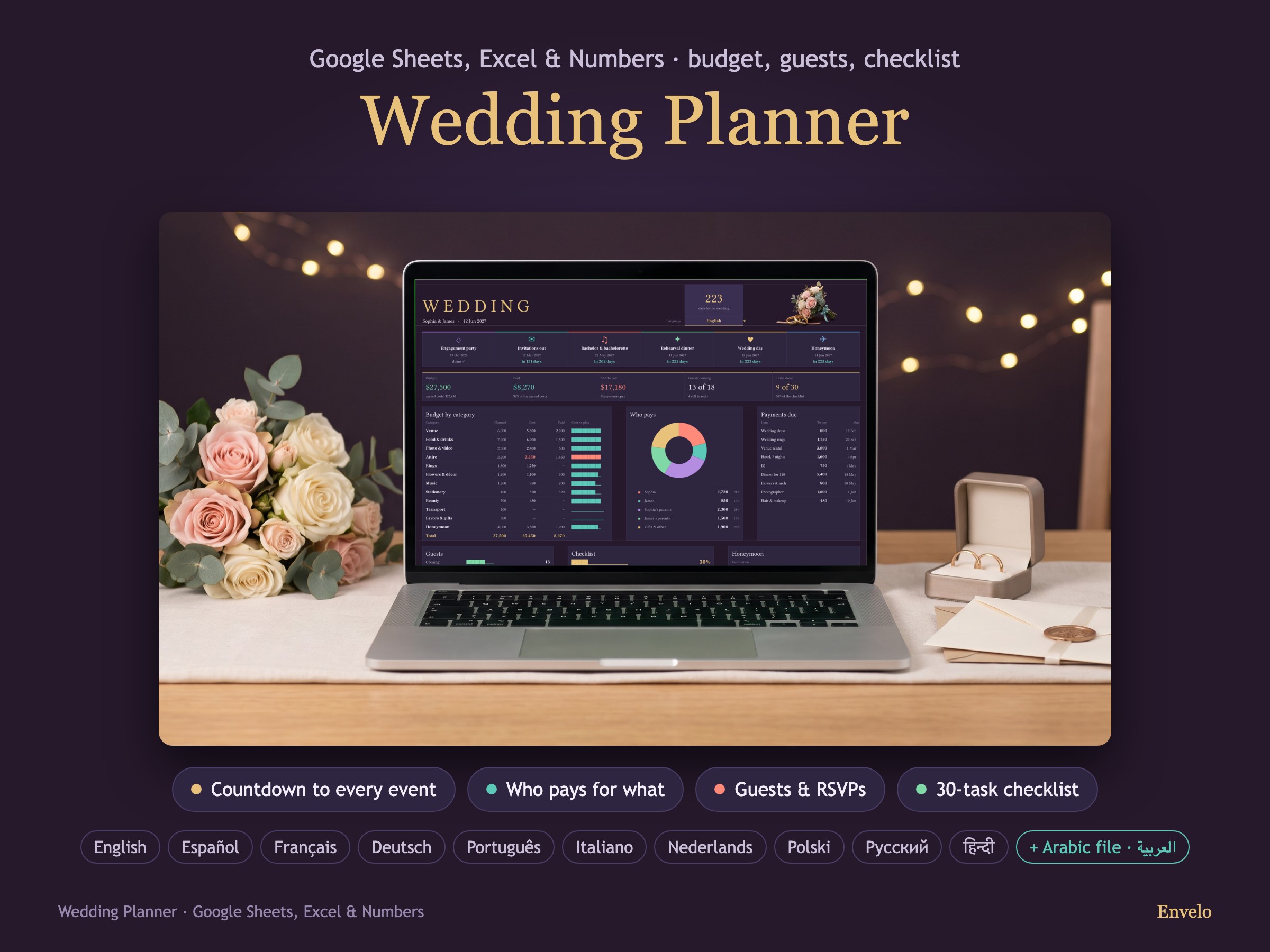
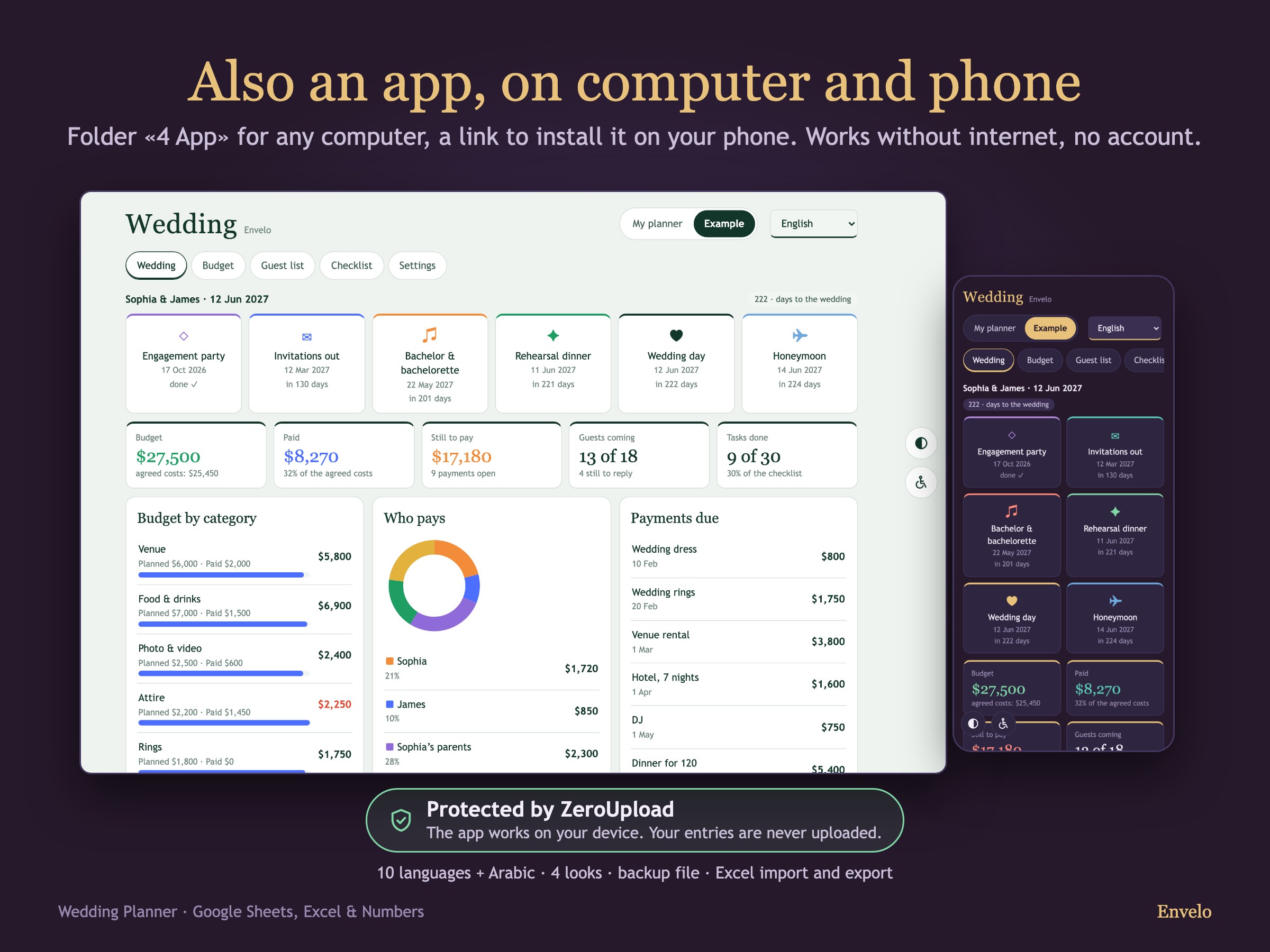
Plan the wedding in one file: the budget by category, who pays for what, the guest list with answers and meals, and a checklist dated from your wedding day.
Try it here
A live demo of the app with a made-up example. Nothing you do here is saved or sent anywhere. In your download you start with an empty planner of your own.
Protected by ZeroUploadThe app works on your device. Your entries are never uploaded.
What it does
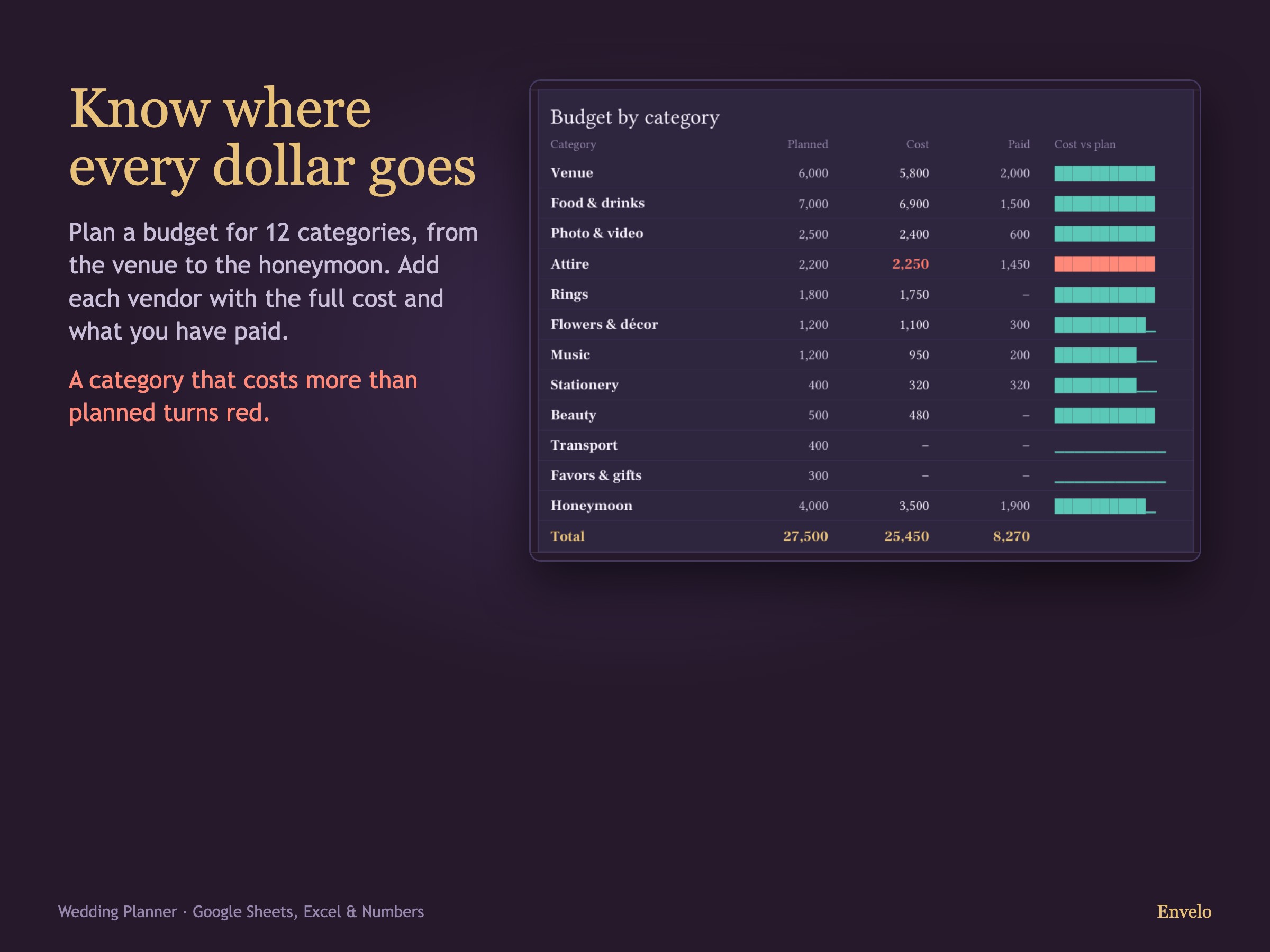
Budget by category
- 12 categories with a plan for each
- Cost, paid and still to pay for every item
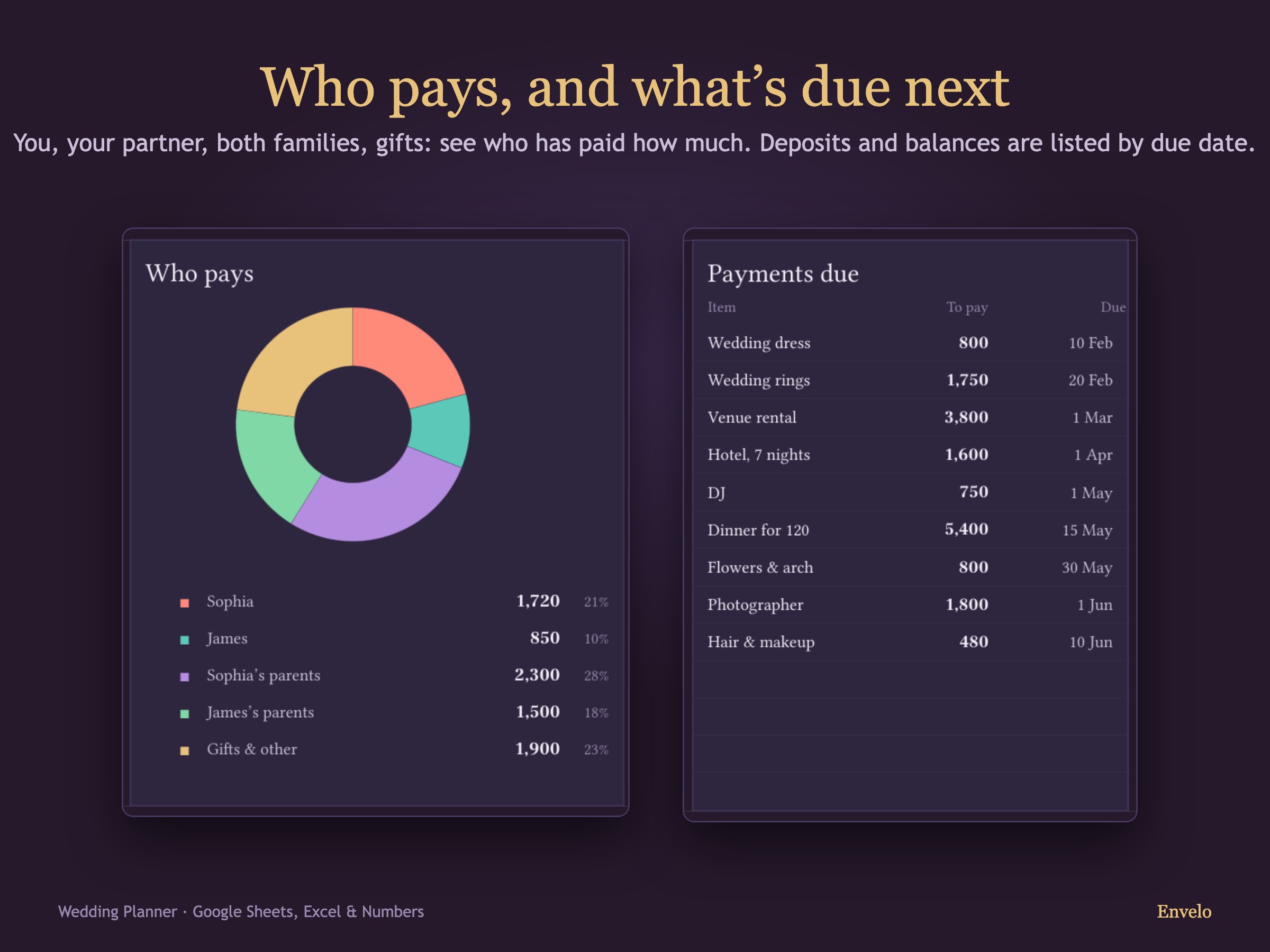
- Who pays: the two of you or your families
Guests and answers
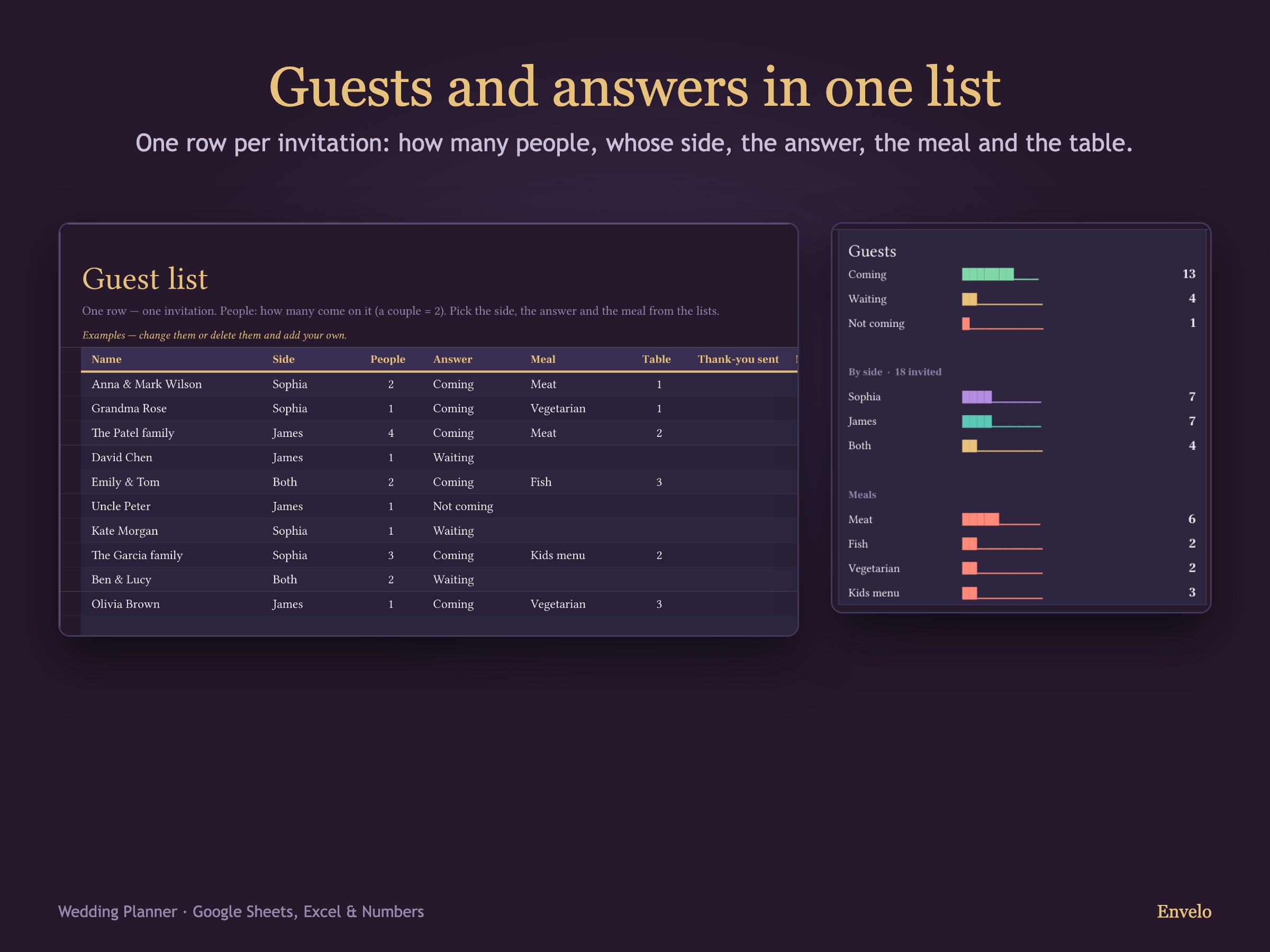
- Up to 250 guests with their side, party size and table
- Answers and meal choices counted for you
- Thank-you notes ticked off
A dated checklist
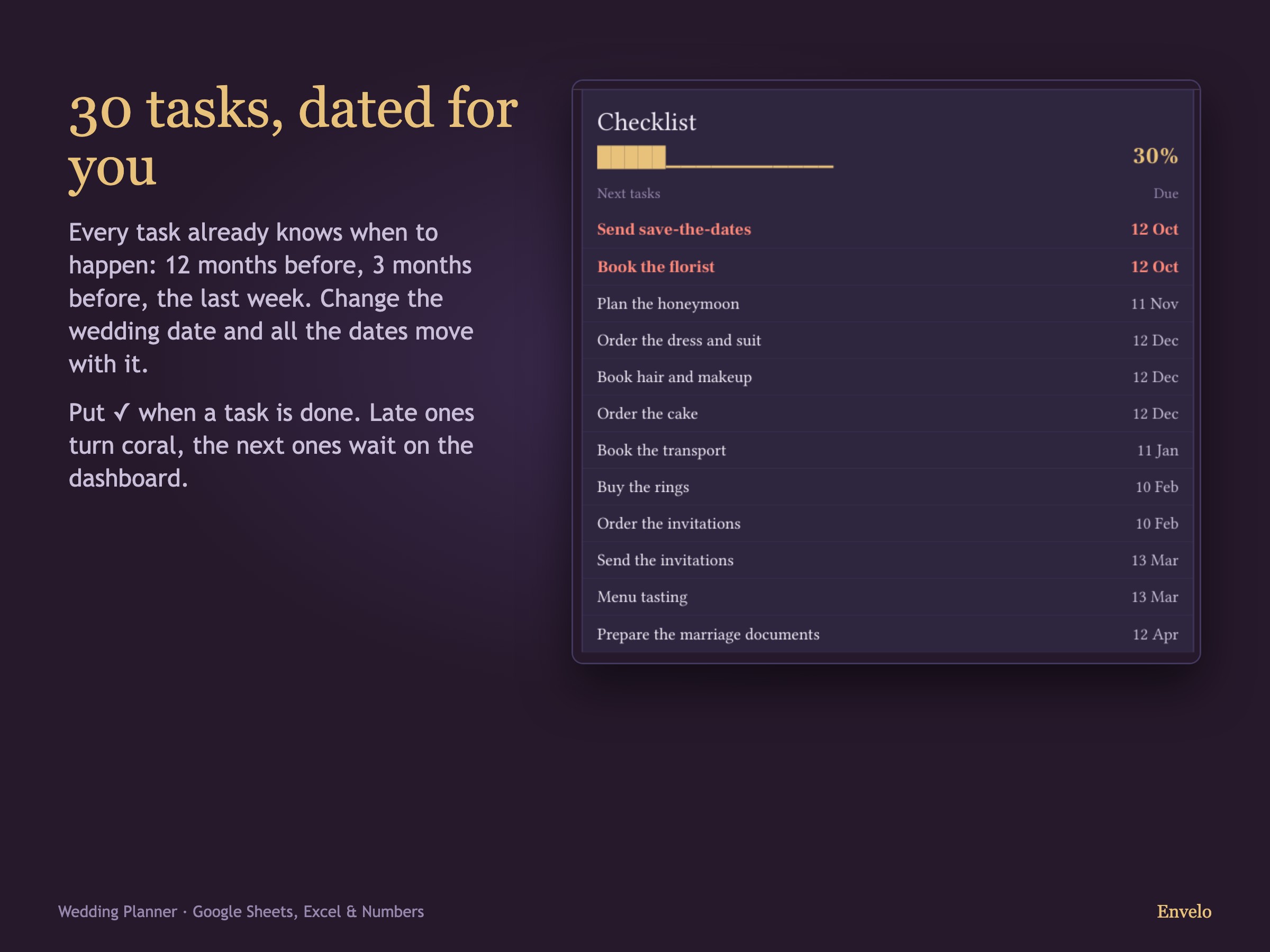
- 30 ready tasks dated from your wedding day
- Add your own tasks
- See what is due next
Countdown and events
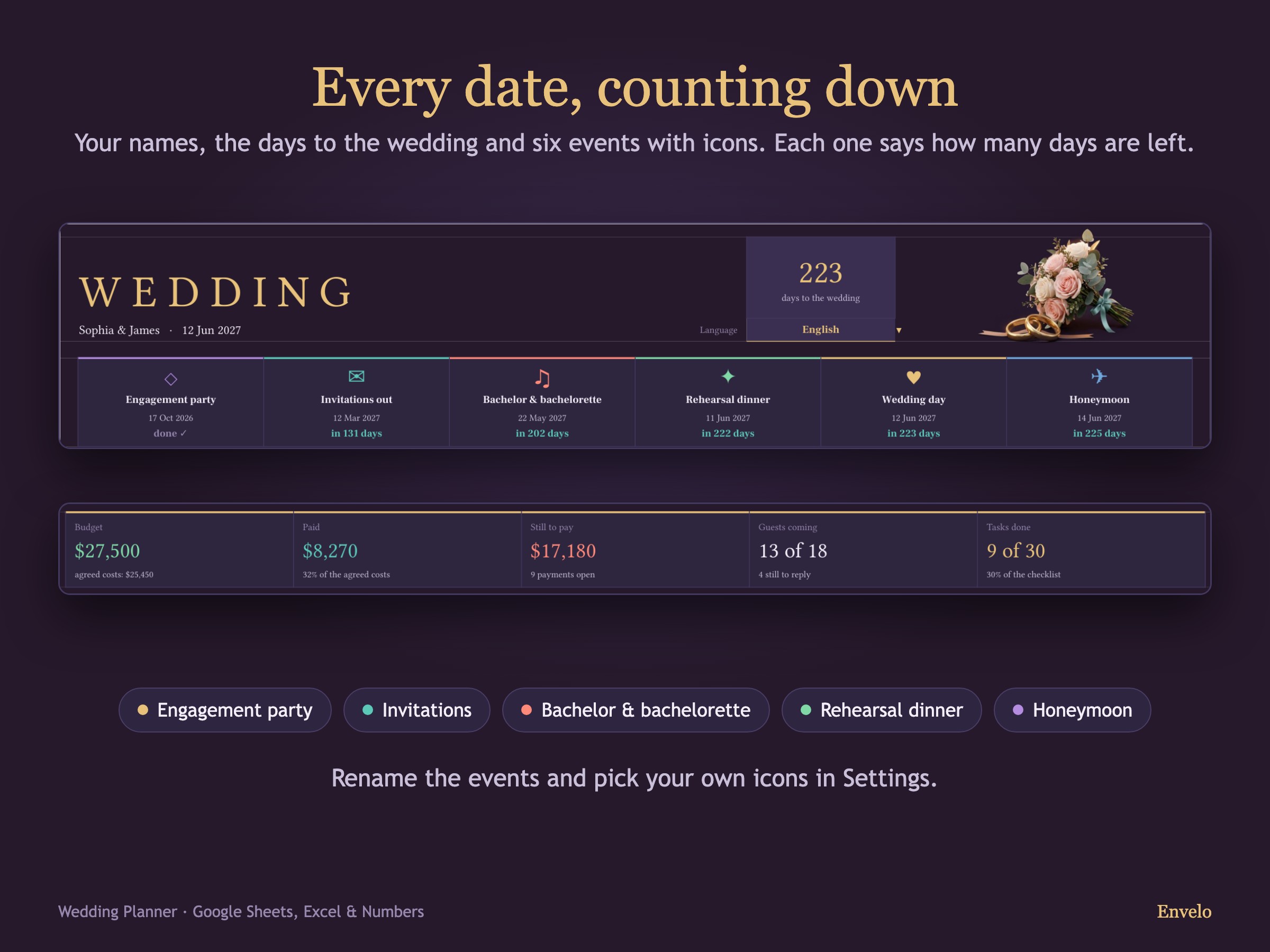
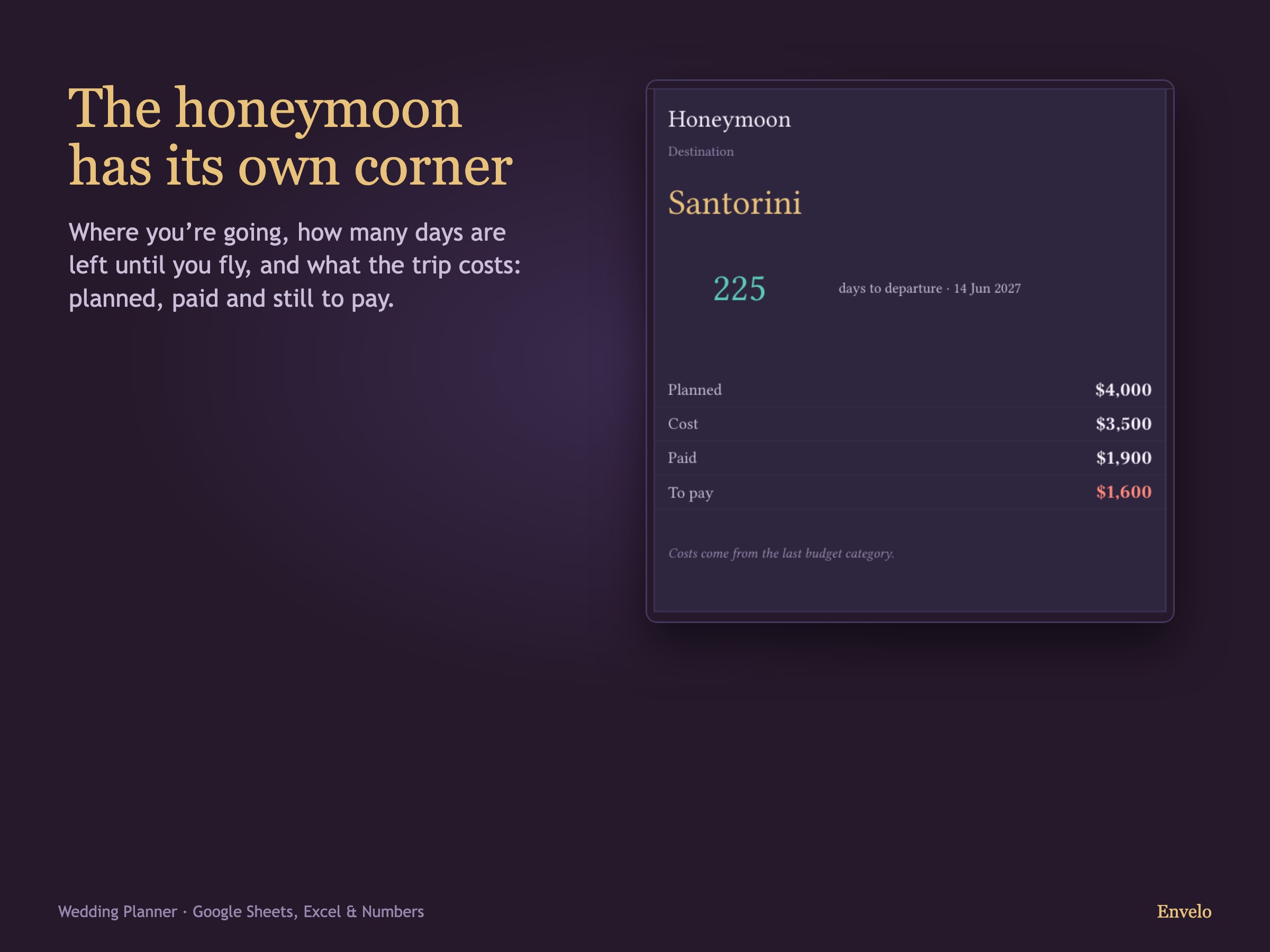
- Days to the wedding
- Engagement, invitations and other events
- Everything on one dashboard
Watch the walkthrough
Inside the download
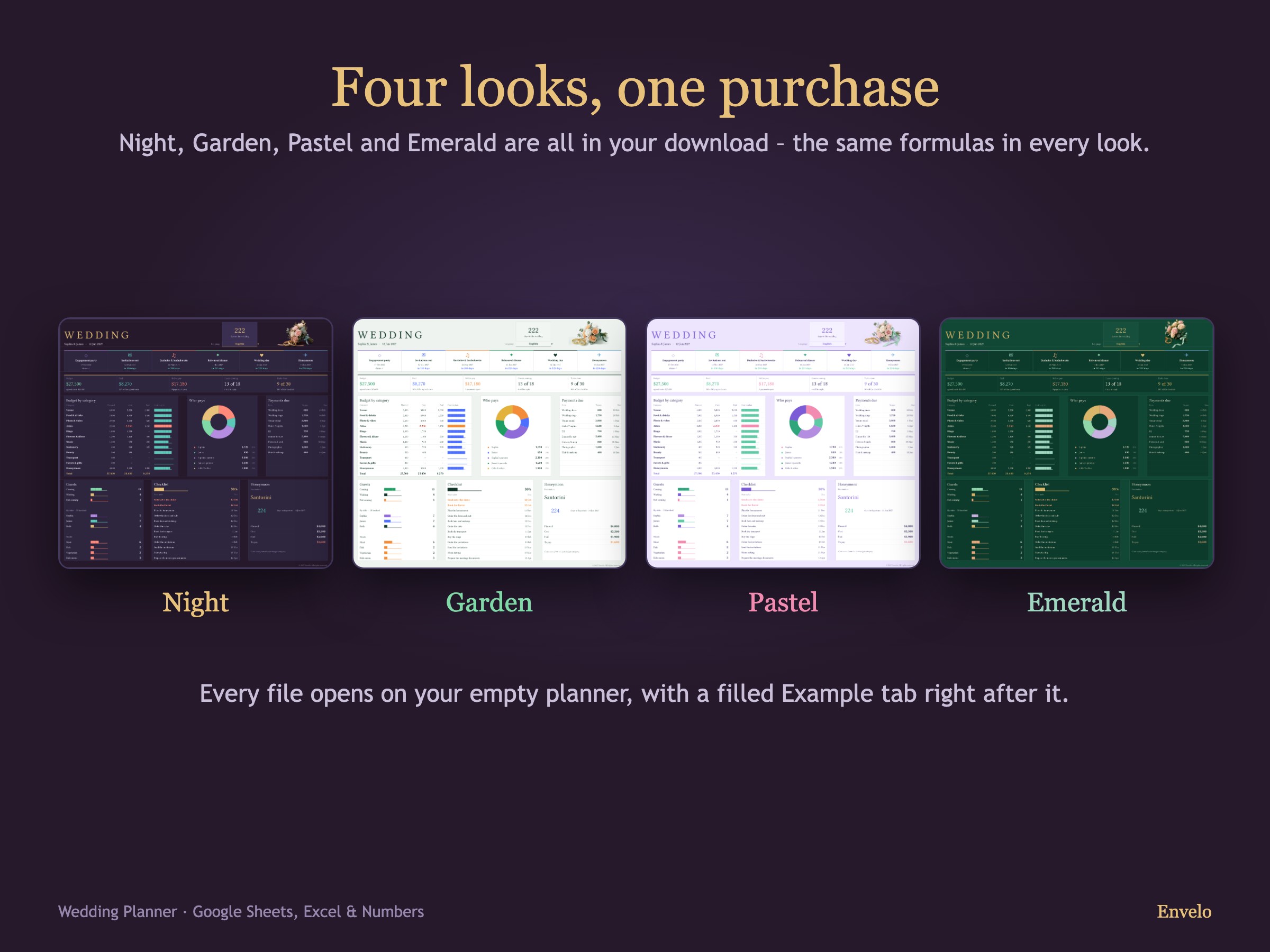
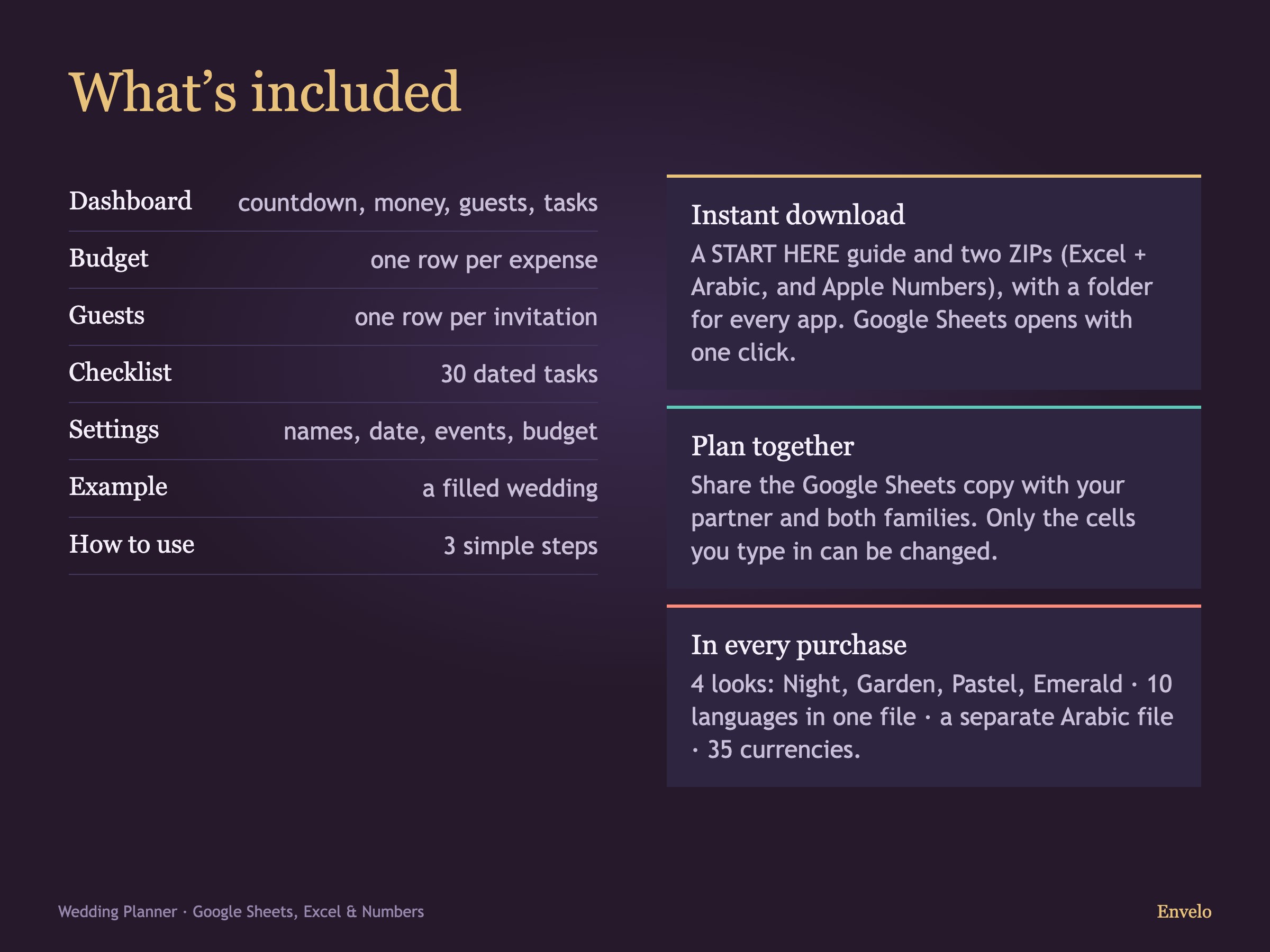
Questions
Where do I buy?
On Etsy only: every “Buy on Etsy” button opens our EnveloSheets shop. After payment Etsy gives you the download right away. This site does not take payments.
What is in the download?
A START HERE guide and an archive with folders for Excel, Apple Numbers, Arabic and the app. The guide has a button for every look that makes your own copy in Google Sheets.
Where is the example?
In every file: your empty planner comes first, then a tab called Example with a filled-in sample. The example never mixes with your numbers.
Do I need an account or a subscription?
No. You pay once on Etsy. The spreadsheets and the app work on their own, without any account.
Where is my data?
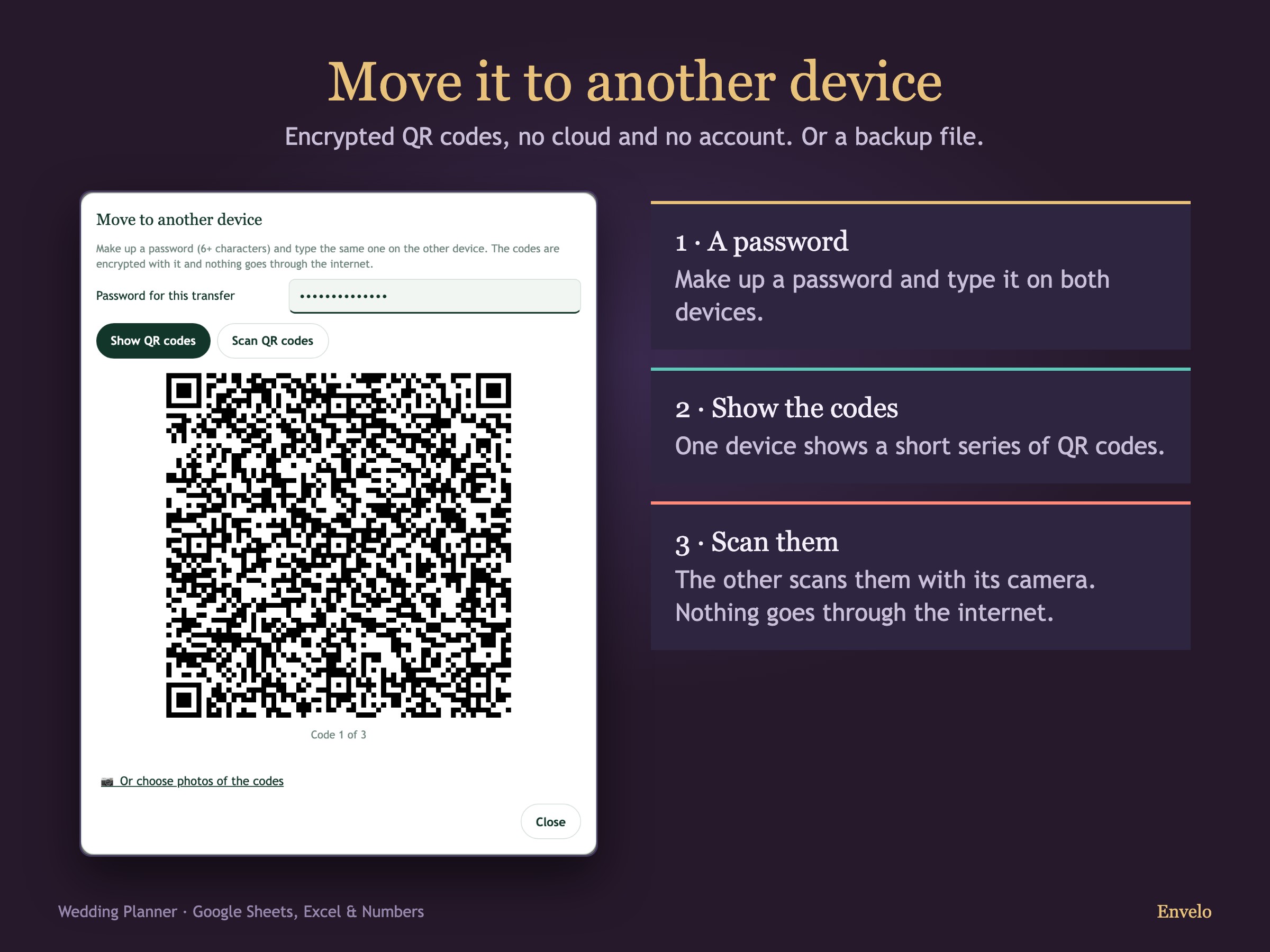
In your own file: your Google Drive copy, your Excel or Numbers file, or the app on your device. We never see your numbers.
Can I move my entries between the app and the spreadsheet?
Yes. In the app: Settings → “Import from Envelo Excel” and “Export to Envelo Excel”. Only your entries move; the spreadsheet does its own math. From Numbers or Google Sheets, save the file as Excel (.xlsx) first.
Does changing the currency convert my amounts?
No. It changes the symbol only; the amounts stay exactly as you type them.
Are the formulas locked?
In Excel and Numbers the formula cells are locked against accidental typing. In your Google Sheets copy they show a warning before you change them – the copy is yours, so you can still edit everything.
Which languages?
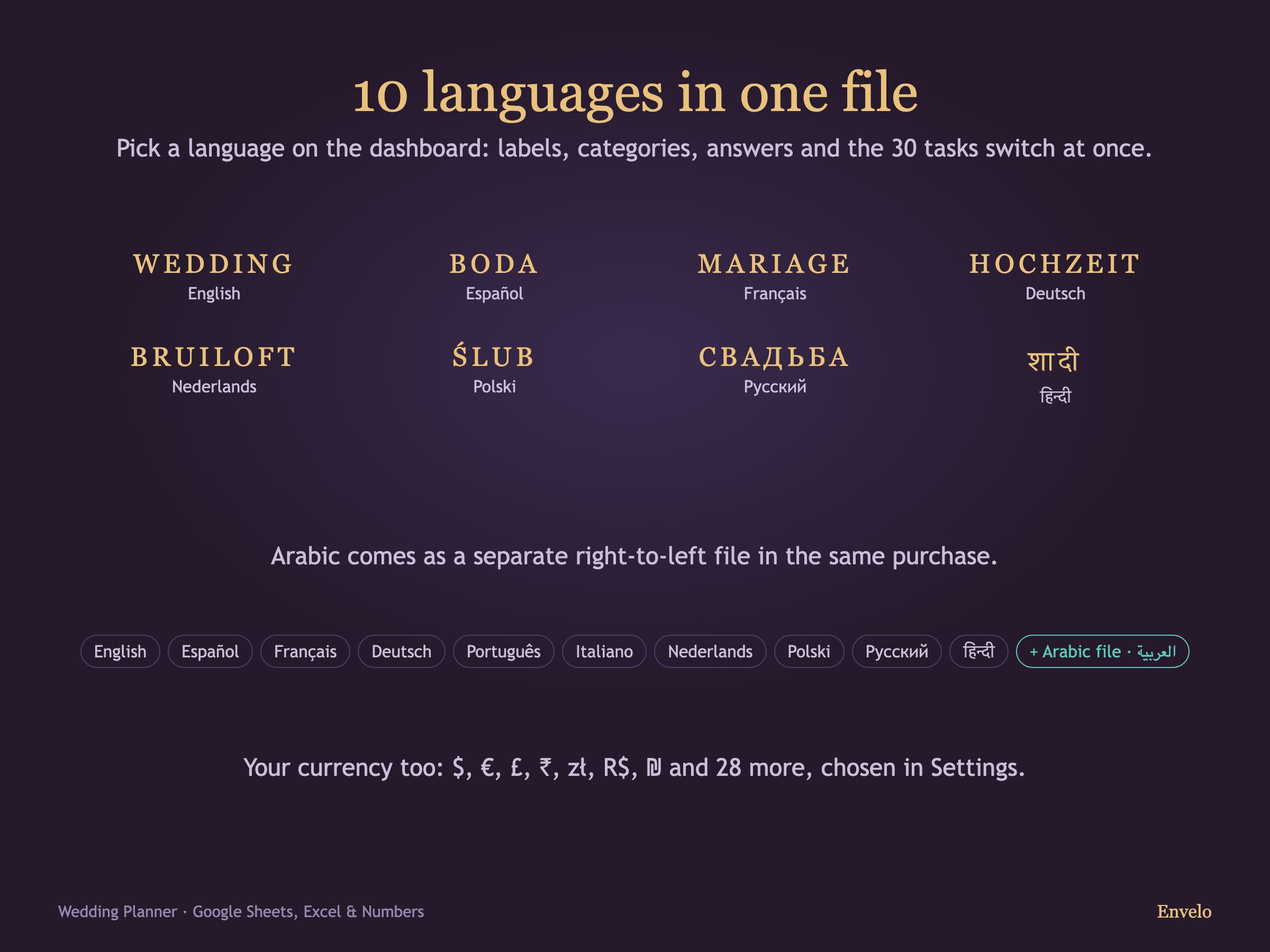
English, Spanish, French, German, Portuguese, Italian, Dutch, Polish, Russian and Hindi in one file, plus a separate right-to-left Arabic file.