
Knitting Gauge Calculator
Your swatch against the pattern’s gauge: every stitch and row count converted to yours, plus a true-size gauge card.
Knitting gauge calculator by Envelo GaugeShift: your swatch against the pattern’s gauge, and every stitch and row count of the pattern turned into yours – with a true-size gauge card to print.
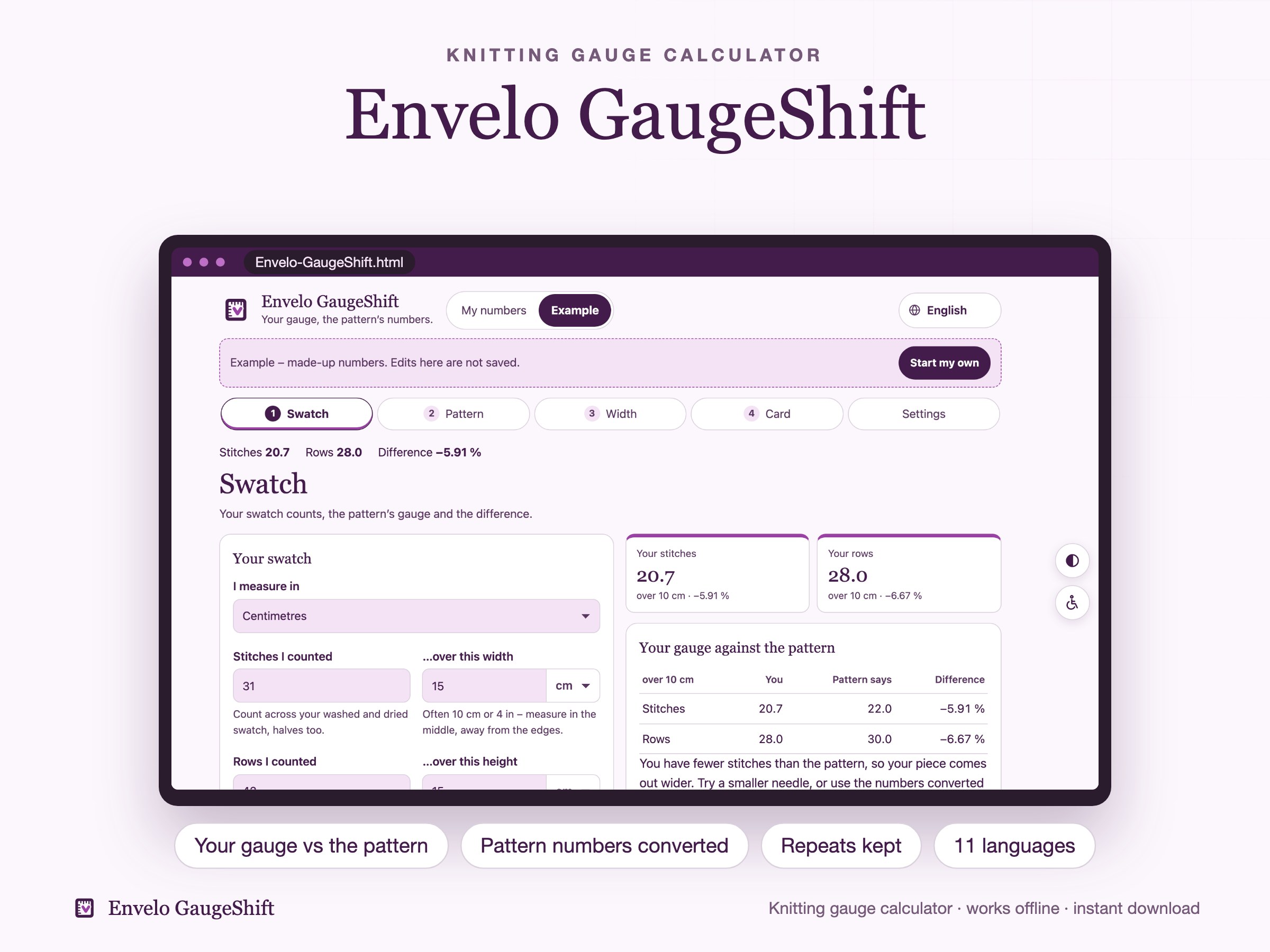
Your swatch has 21 stitches where the pattern says 22? Knit as written, the sweater comes out a size bigger. GaugeShift works out your gauge from the stitches and rows you count, shows the difference, and converts the pattern’s numbers to your gauge – keeping stitch repeats like «multiple of 4 plus 2».
Try it here
A live demo with a made-up example. Nothing you type here is saved or sent anywhere.
What it does
What you can do
- Enter the stitches and rows you counted on your swatch and the width and height they cover, in cm or inches, fractions too
- Enter the pattern’s gauge over 10 cm (4 in) and see the difference in % – match, looser or tighter – and what to try
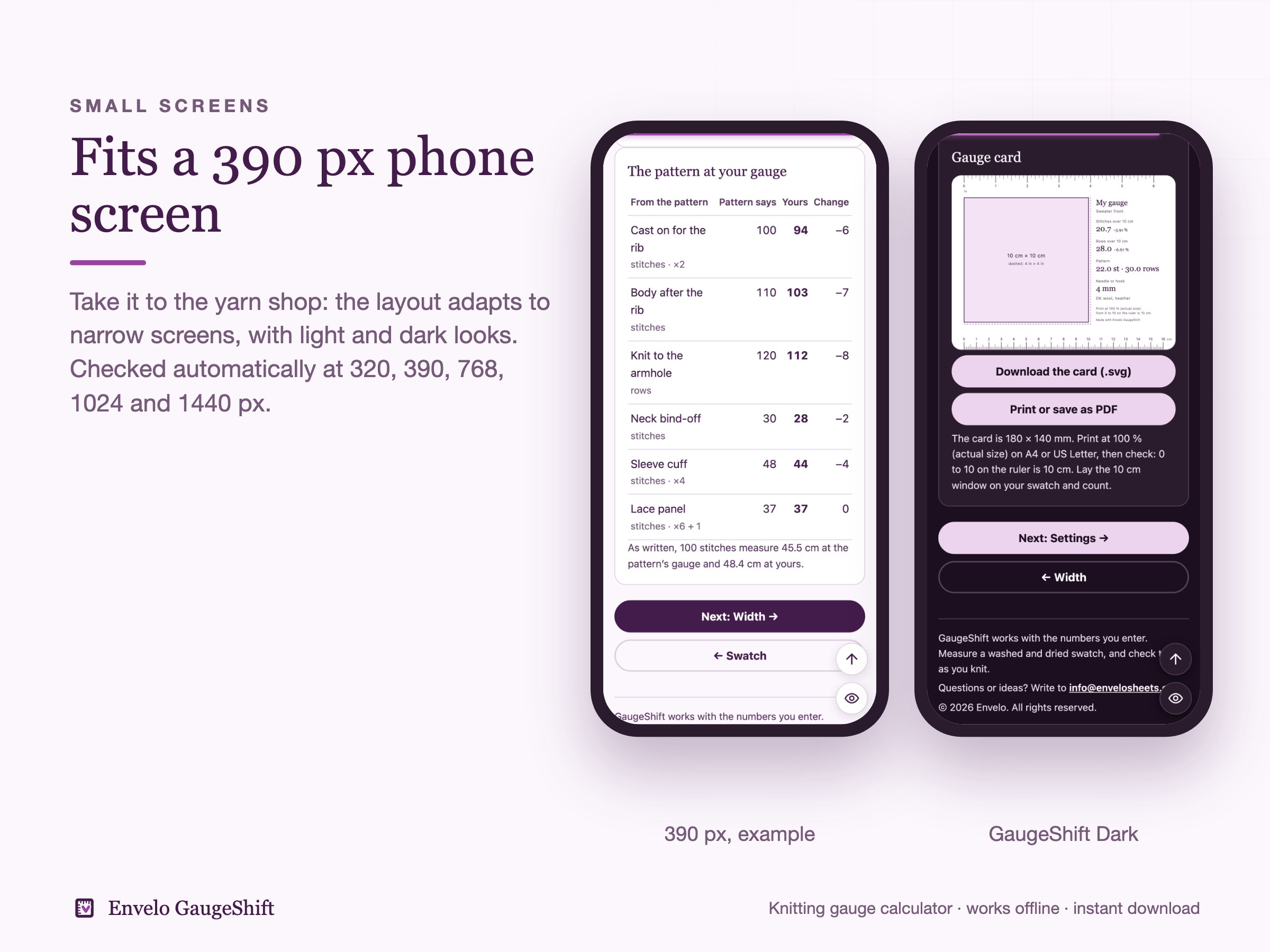
- Type the pattern’s stitch and row counts and get yours, with stitch repeats kept
- Type a width and get the stitches to cast on, a length and get the rows, or see how wide a number of stitches comes out
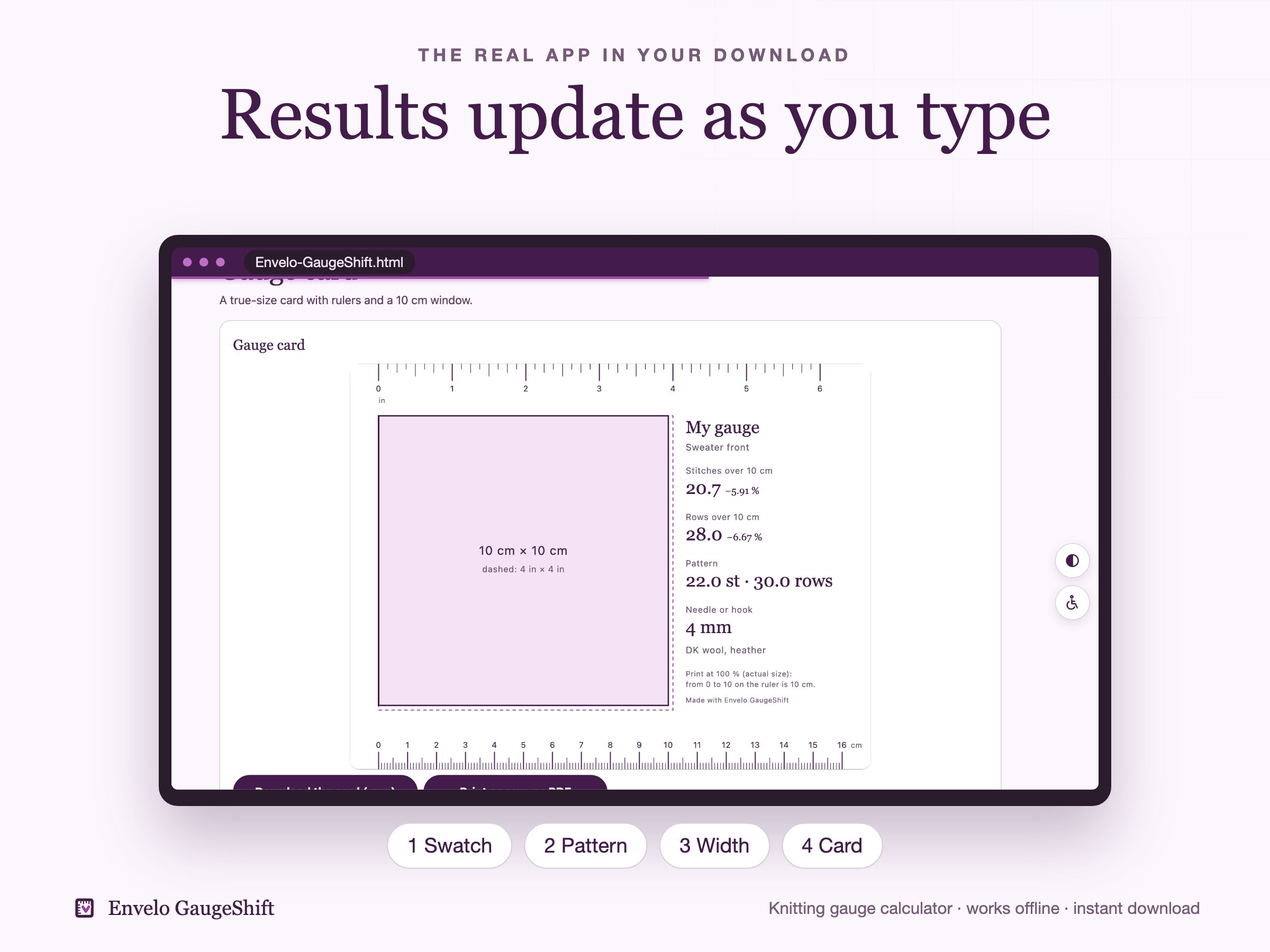
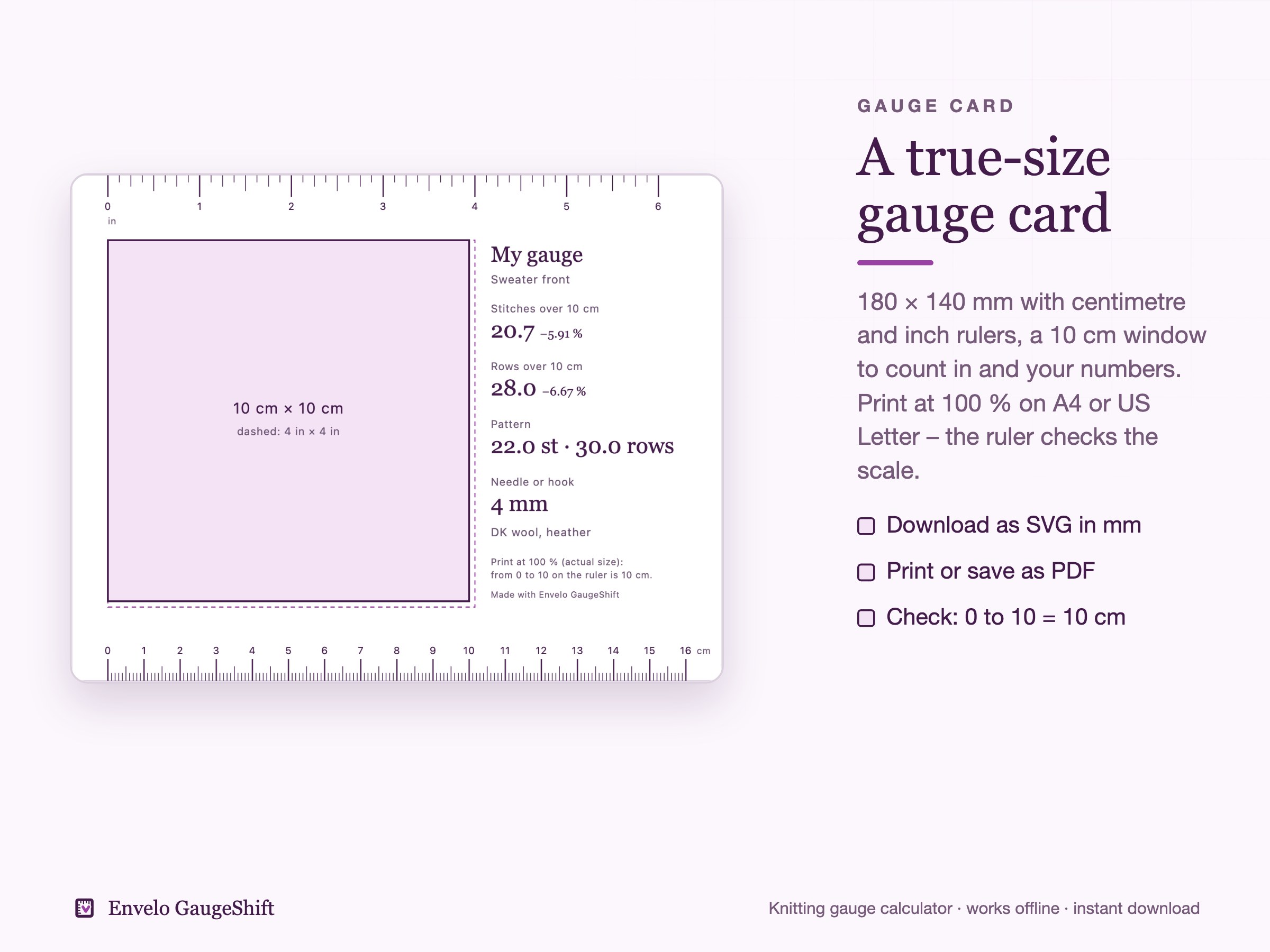
- A true-size gauge card, 180 × 140 mm, with centimetre and inch rulers and a 10 cm window: download as SVG or print at 100 % on A4 or US Letter
- The converted numbers as a CSV table, backup and restore
Example inside
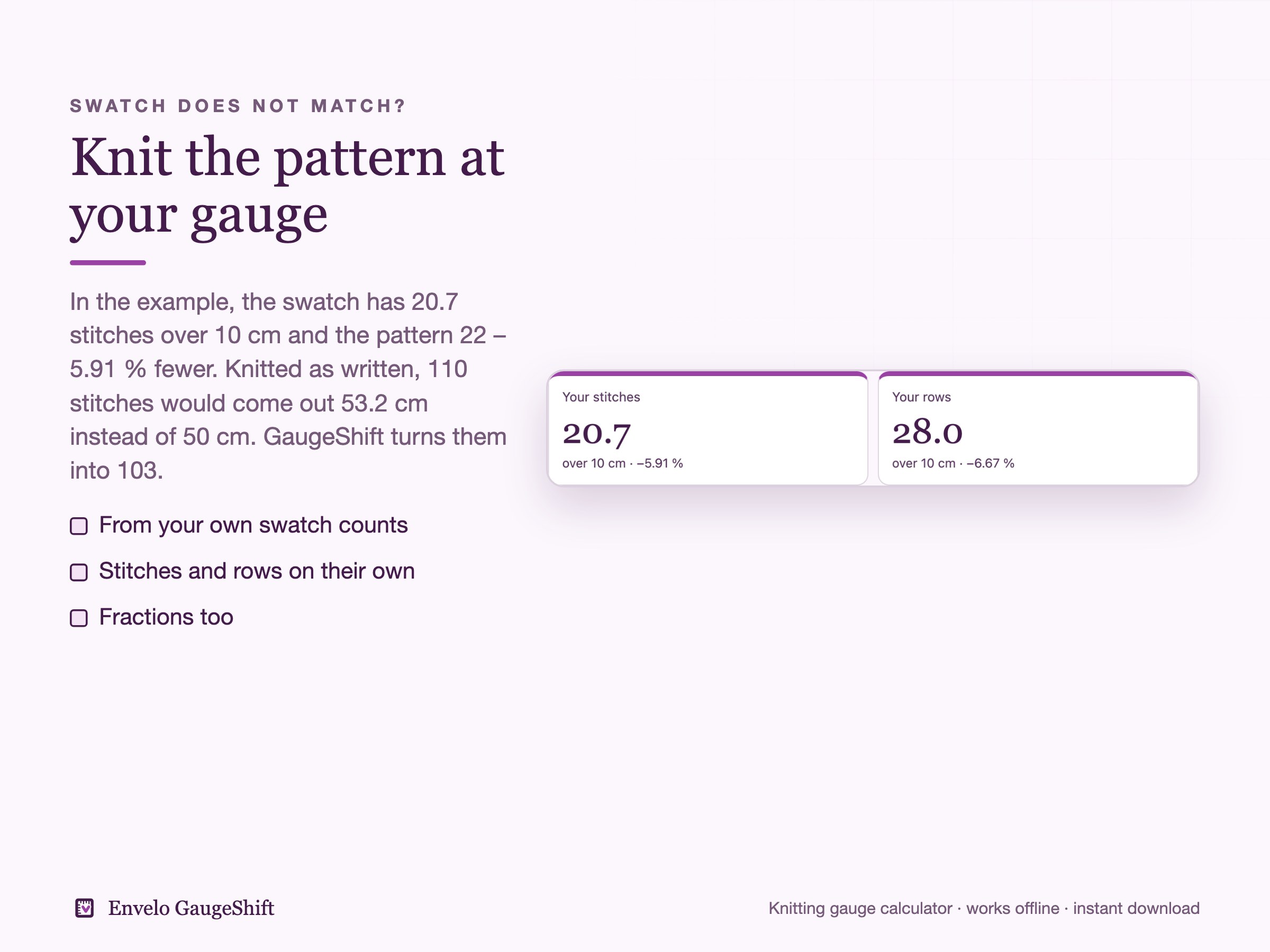
A made-up sweater front from a made-up pattern at 22 stitches and 30 rows over 10 cm. The swatch has 31 stitches and 42 rows over 15 cm – 20.7 stitches and 28.0 rows over 10 cm, 5.91 % and 6.67 % under the pattern. Cast on 100 (multiple of 2) becomes 94, the body 110 becomes 103, 120 rows to the armhole become 112, a lace panel of 37 (multiple of 6 plus 1) stays 37.
How it works
- Download the ZIP and START-HERE.pdf from Etsy after checkout.
- Unzip and open Envelo-GaugeShift.html in your web browser. Look at the filled example, then press My numbers.
- Count your swatch, type the pattern’s gauge and its numbers. Everything updates as you type and saves in your browser.
What you receive
- START-HERE.pdf (0.12 MB)
- Envelo-GaugeShift-v1.0.zip (1.65 MB)
Inside the ZIP:
- Envelo-GaugeShift.html: the app, opens in your browser by double click and works offline, 11 languages, cm or inches
- examples/: the filled example as a backup file, its gauge card as SVG (180 × 140 mm) and the pattern numbers at the new gauge as CSV
- START-HERE/: the guide in 11 languages
- LICENSES.txt and WHAT_YOU_GET.txt
Good to know
- This is a digital download. Nothing is shipped.
- No subscription and no account. The app runs on your device and uploads nothing.
- GaugeShift works with the numbers you enter. Measure a washed and dried swatch, and check the fit as you knit.
- No patterns are included – it converts the numbers of the pattern you already have.
- Your numbers do not sync between devices; move them with the backup file.
- For your own use. Please don't resell or share the files.
- The app, its logo, the texts and the translations were made as code with the help of an AI coding assistant. No AI image generators were used.
A closer look
Buy it on Etsy and download the files straight away.